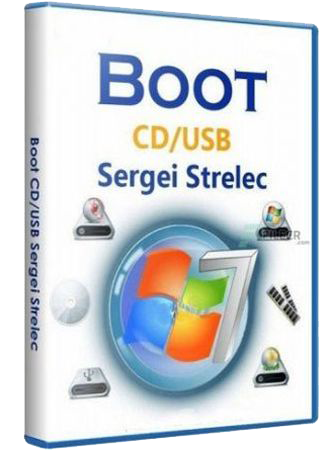
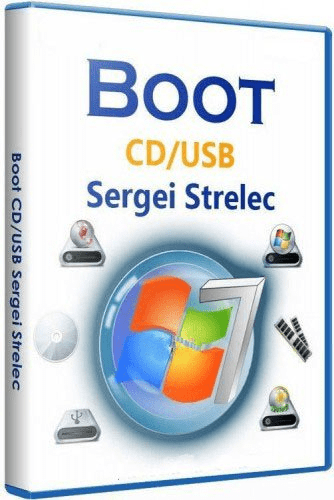
WinPE 11-10 Sergei Strelec (x64) 2026.10.21 | Full ISO + Update
Bootfähiges Windows 11- und 10-PE-Medium – zur Wartung von Computern, Festplatten und Partitionen, zum Sichern und Wiederherstellen von Datenträgern und Partitionen, zur Computerdiagnose, Datenwiederherstellung sowie zur Windows-Installation. Zusammenstellung des Datenträgers
WinPE11x64
WinPE10x64
Enthaltene Software
Sicherung und Wiederherstellung
Acronis True Image 30.2.1 Build 42980
Acronis True Image 2019 Build 17750
Acronis True Image 2016 Build 6595
Acronis True Image 2014 Build 6673
Acronis Cyber ??Protect 15.0.27009
EaseUS Todo Backup 16.3.1 Build 20260721
Active Disk Image 26.0.7
StorageCraft Recovery Environment 5.2.5.37836
R-Drive Image 7.3.7314
Veritas System Recovery 22.0.0.62226
Symantec Ghost 12.0.0.13027
TeraByte Image for Windows 4.13
AOMEI Backupper 8.5.0
Hasleo Backup Suite 5.9.2.4
Drive SnapShot 1.51.0.1869
Macrium Reflect 10.0.8843
Macrium Reflect 8.1.8972
QILING Disk Master 8.8
Disk2vhd 2.02
Festplattenverwaltung
Acronis Disk Director 12.5 Build 163
Paragon Hard Disk Manager 17.64.0
Paragon Hard Disk Manager 15 10.1.25.1137
MiniTool Partition Wizard 13.9
EaseUS Partition Master 20.8.0 Build 202609231322
EaseUS Disk Copy 7.2.0 Build 20260821
DiskGenius 6.2.0 Build 1829
Aomei Partition Assistant 10.12.1
AOMEI Dynamic Disk Manager 1.2.0
Macrorit Partition Expert 8.9.2
NIUBI Partition Editor 10.3.2
Active Partition Manager 26.0.0
Defraggler 2.22.995
O&O Defrag 23.0
HDD Low Level Format Tool 5.6
HDD Raw Copy Tool 2.6
Active KillDisk 26.0.15.0
Active Disk Editor 26.1.3
DiskCopy 1.4.5.0
Diskpart GUI von Abdullah ERTURK v4
Diskpart GUI Micro von Mole 2.0
Diagnose
HD Tune 6.10
Check Disk GUI
Victoria 5.37
Hard Disk Sentinel 6.40
CrystalDiskInfo 9.9.3
CrystalDiskMark 9.0.3
AIDA64 ******* 8.40.5000
BurnInTest 8.1 Build 1025
PerformanceTest 10.2 Build 1002
CPU-Z 3.01
HWiNFO 8.54.6090
HDDScan 4.1.0.29
PassMark MonitorTest 4.0 Build 1002
OCCT 10.0.5
Keyboard Test Utility 1.4.0
HDD Regenerator 2024
IsMyLcdOK 6.11
Drevitalize 4.10
Linpack Xtreme 1.1.8
LinX 0.6.5
HWMonitor 1.55
MS-DOS-Programme
HDD Regenerator 2011
HDDaRTs 20.03.2025 (Programm von Ander_73)
BIBM++ 1.92 (Programm von Ander_73)
MemTest86 11.7.1000 (UEFI)
HDD Regenerator 2011
MHDD 4.6
Victoria 3.52
Memtest86+ 9.00 (UEFI/DOS)
HDAT2 7.6
GoldMemory PRO 7.85
Active Password Changer Professional 5.0
Ghost 11.5
BootIt Bare Metal 1.92
DiskGenius 5.2.0.878
Kon-Boot for Windows 2.5.0
Hard Disk Sentinel for DOS 1.21
DRevitalize 3.32
CHZ Monitor Test 2.0
Netzwerk
Unterstützte Methoden und Protokolle: TCP/IP, NetBIOS, PPPoE, WLAN (Wi-Fi) und WebDAV.
Wenn Sie WLAN nutzen möchten, müssen Sie einen Treiber für den WLAN-Adapter installieren. Wählen Sie hierfür im „Startmenü“ den Bereich „Drivers“ (Treiber) aus.
Für die Verbindung mit einem WLAN-Netzwerk verwenden Sie den „PE Network Manager“ und klicken dort auf den Reiter „Wi-Fi“.
Importieren von WLAN-Profilen
Um WLAN-Profile auf Ihren Computer oder einen Client-Computer zu importieren, exportieren Sie zunächst die entsprechenden WLAN-Profile.
Sie können hierfür das Programm „Smart WiFi Solution“ von Marat Galiullin verwenden (im Archiv enthalten) oder direkt auf den Ordner „SSTRWLANProfile“ zugreifen.
Alternativ können Sie dies über Windows erledigen (Befehlszeile als Administrator ausführen).
Beispielbefehl:
netsh wlan export profile key=clear folder=C:WLANProfile
Speichern Sie die WLAN-Profile in den Ordner „SSTRWLANProfile“ auf Ihrem USB-Stick.
Die Anzahl der Profile spielt dabei keine Rolle.
Nach dem Laden von WinPE werden die WLAN-Treiber automatisch installiert und die WLAN-Profile importiert. Sie müssen lediglich das gewünschte Netzwerk im Programm „PENetwork“ auswählen und auf „Verbinden“ (Connect) klicken.
Nachdem Sie den WLAN-Treiber installiert haben, können Sie die Verbindung auch manuell herstellen – entweder über die Verknüpfung auf dem Desktop oder über das Startmenü.
Einbinden von Netzlaufwerken
Wenn Sie ein Netzlaufwerk über die Benutzeroberfläche des Windows-Explorers einbinden – also über das Standardfenster, das beim Aufruf des Befehls „Netzlaufwerk verbinden“ erscheint –, müssen Sie im Feld „Benutzername“ die Daten in folgendem Format eingeben:
ComputernameBenutzername (nicht nur den Benutzernamen).
Oder:
IP-AdresseBenutzername (nicht nur den Benutzernamen).
Beispiel:
STRELEC-PCSEREGA
Oder:
192.168.0.100SEREGA
Dies liegt an den Besonderheiten und Einschränkungen des Windows-Explorers, wenn dieser unter einem Systemkonto ausgeführt wird.
Empfohlen wird die Verwendung der Befehlszeile (über eine .cmd- oder .bat-Datei) mit dem Dienstprogramm „net.exe“.
Bei dieser Methode erfolgt der Verbindungsaufbau deutlich schneller.
Die Befehlsparameter sind hierbei standardmäßig.
Beispiel:
net use Z: \STRELEC-PCshare /USER:serega strelec
Oder:
net use Z: \192.168.0.100share /USER:serega strelec
Dabei gilt:
\192.168.0.100share – die Adresse (Pfad).
serega – der Benutzername.
strelec – das Passwort.
Wenn die Verbindung über ein Administratorkonto hergestellt wird, gelten für beide Varianten die Standardeinstellungen.
Starten im UEFI-Modus
Im EFI-Modus wird standardmäßig der EFI-Bootloader von Microsoft verwendet.
Um den Funktionsumfang beim Starten im UEFI-Modus zu erweitern, können Sie zum Bootloader „GRUB2“ wechseln.
Es ist jedoch nicht auf allen Computern garantiert, dass der Start bei aktiviertem „Secure Boot“ funktioniert; daher ist es ratsam, diese Option zu deaktivieren.
Beim Starten über GRUB2 stehen Dienstprogramme zur Speicherüberprüfung zur Verfügung, zudem lassen sich verschiedene Linux-Images einbinden. Um zwischen den EFI-Bootloadern (Microsoft oder GRUB2) zu wechseln, führen Sie die entsprechende Batch-Datei aus, die sich auf dem USB-Stick im Ordner „EFI/boot“ befindet:
_MICROSOFT_EFI.bat – wechselt zum Microsoft-Bootloader
_GRUB2_EFI.bat – wechselt zum GRUB2-Bootloader
Anhand einer Datei im Ordner „EFI/boot“ können Sie jederzeit erkennen, welcher Bootloader aktuell aktiv ist:
[MICROSOFT_MODE] – Microsoft-Bootloader ist aktiv
[GRUB2_MODE] – GRUB2-Bootloader ist aktiv
Treiber
Diese Methode dient dazu, Controller-Treiber zu installieren, falls WinPE die benötigten WLAN-, Netzwerk- oder ähnliche Treiber nicht enthält.
Hinweis: Diese Methode ist nicht für die Installation von Grafiktreibern oder Ähnlichem vorgesehen.
Die Treiber müssen entpackt vorliegen (d. h. sie müssen eine *.sys-Datei, eine *.cat-Sicherheitsdatei und eine *.inf-Datei enthalten).
Damit die Treiber beim Starten von WinPE10 geladen werden, legen Sie diese auf Ihrem bootfähigen USB-Stick im Verzeichnis „SSTR/USER/MY_DRIVERS_x64“ ab.
Unterordner sind zulässig.
Austausch des Desktop-Hintergrundbildes
Wenn Sie das Desktop-Hintergrundbild ändern möchten, müssen Sie Ihr eigenes Bild in den Ordner `SSTRMInstWallpaper` kopieren und damit die dort vorhandene Datei `Wallpaper.jpg` ersetzen (d. h. sie durch Ihre Datei überschreiben).
Windows-Installation
1. Programm „78Setup“ (eine vollständige Beschreibung des Programms finden Sie auf der Seite des Autors „conty9“).
In den entsprechenden Unterordner innerhalb von `SSTR/_WIN` müssen Sie eine `install.wim`- oder `install.esd`-Datei ablegen.
Nach dem Start des Programms wird eine Liste der verfügbaren Windows-Versionen angezeigt; klicken Sie anschließend auf „Start“.
Zudem können ISO-Abbilder von Windows im Stammverzeichnis von `_WIN` abgelegt werden.
Die Auswahlmöglichkeit erscheint dann im Feld weiter unten.
Der Ordner `_WIN` kann an einem beliebigen Ort platziert werden, beispielsweise auch im Stammverzeichnis eines anderen Laufwerks oder einer anderen Partition.
2. Programm „WinNTSetup“ (vom Autor „JFX“).
Bezüglich „VIREN“ in dieser Zusammenstellung
Diese Zusammenstellung enthält KEINE Viren. Es sind SFX-Archive vorhanden, die Programme, kompilierte Batch-Dateien sowie spezielle Werkzeuge zur PC-Wartung enthalten – Komponenten, auf die verschiedene Antivirenprogramme unterschiedlich reagieren können.
Sollte Ihr Antivirenprogramm einen Virus melden und Sie daraufhin verunsichert sein oder in Panik geraten, lautet mein Rat: Verwenden Sie meine Zusammenstellung bitte NICHT. Treffen Sie eine bewusste Entscheidung. Diese Zusammenstellung richtet sich primär an Personen, die mit der PC-Wartung vertraut sind – also an Anwender, die über das entsprechende Fachwissen verfügen. Diese Nutzer verstehen die Besonderheiten von PC-Wartungsprogrammen, die Struktur einer WinPE-Umgebung und wissen daher auch, warum Antivirenprogramme unter Umständen entsprechend reagieren. Neuerungen
Systemanforderungen
1. Windows 10, 11
2. 4 GB RAM / 512 MB (nativ)
3. PC mit der Möglichkeit, von einem CD-/DVD-Laufwerk oder einem USB-Medium zu booten.
Sprache: English | Größe: 3.5 GB / 443 MB | Format: RAR, EXE, ISO | Plattform: Windows 10, 11 (64Bit)
Bootfähiges Windows 11- und 10-PE-Medium – für die Wartung von Computern, Festplatten und Partitionen, die Sicherung und Wiederherstellung von Datenträgern und Partitionen, Computerdiagnose, Datenrettung sowie die Windows-Installation.
Enthaltene Komponenten
WinPE11x64
WinPE10x64
Sprache: Englisch File Size: 3.47 GB Format: .Rar und .Iso Plattform: Windows 11, 10 (64 Bit) Passwort: Wird nicht benötigt Hoster: nitroflare.com , ddownload.com , rapidgator.net
Bootfähige Disk für Windows 11 und 10 PE – für die Wartung von Computern, Festplatten und Partitionen, die Sicherung und Wiederherstellung von Disks und Partitionen, Computerdiagnose, Datenwiederherstellung und Windows-Installation.
Zusammensetzung der Assembly
WinPE11x64
WinPE10x64
Systemvoraussetzungen
1. RAM 4 GB / Native 512 MB
2. PC mit der Möglichkeit, von CD/DVD-Laufwerk oder USB zu booten.
Hoster:
| NitroFlare | Rapidgator | Größe
800 MB + 3,3 GB (RAR/DMG/PKG) Sprache
English Betriebssystem
Windows 10 oder höher INFO Mirrors sind untereinander kompatibel
Kein Kundenservice | Ein Dankeschön tut nicht weh ? Danke für eure Unterstützung!
???? Geteilte Links sind miteinander kompatibel
???? Nur bei defekten Links PN – bitte bleibt im Thread
???? Keine Passwörter | Software-Anfragen gerne per PN
Bootable disk Windows 11 and 10 PE - for maintenance of computers, hard disks and partitions, backup and restore disks and partitions, computer diagnostics, data recovery, Windows installation.
Bootable disk Windows 11 and 10 PE - for maintenance of computers, hard disks and partitions, backup and restore disks and partitions, computer diagnostics, data recovery, Windows installation.
Composition of assembly
WinPE11x64
WinPE10x64
WinPE10x86
WinPE8x86
WinPE8x86(Native)
x86 Image contains
Backup and restore
Acronis True Image 30.1.1 Build 42386
Acronis True Image 2019 Build 17750
Acronis True Image 2016 Build 6595
Acronis True Image 2014 Build 6673
Acronis Backup Advanced 11.7.50230
EaseUS Todo Backup 2023 Build 20230222
Active Disk Image 26.0.4
StorageCraft Recovery Environment 5.2.5.37836
R-Dr?v? ?m?g? 7.3.7314
Veritas System Recovery 22.0.0.62226
Symantec Ghost 12.0.0.13027
TeraByte Image for Windows 4.10
AOMEI Backupper 8.2.0
Drive SnapShot 1.51.0.116
Macrium Reflect 7.2.4942
Disk2vhd 2.02
Hard disk
Acronis Disk Director 12.5 Build 163
EASEUS Partition Master 16.5
Paragon Hard Disk Manager 15 10.1.25.1137
MiniTool Partition Wizard 13.6
AOMEI Partition Assistant 10.10.1
AOMEI Dynamic Disk Manager 1.2.0
Macrorit Partition Expert 8.9.0
NIUBI Partition Editor 10.2.0
DiskGenius 6.0.1.1645
Active Partition Manager 6.3.05
Defraggler 2.22.995
O&O Defrag 23.0
HDD Low Level Format Tool 4.50
Active KillDisk 14.0.27
Active Disk Editor 7.3.01
DiskCopy 1.4.5.0
Diskpart GUI Micro 2.0
Diagnostics
HD Tune 5.75
Check Disk GUI
Victoria 5.37
HDD Regenerator 2011
Hard Disk Sentinel 6.40
CrystalDiskInfo 9.8.0
CrystalDiskMark 9.0.2
AIDA64 7.70.7500
BurnInTest 8.1 Build 1025
PerformanceTest 10.2 Build 1002
RWEverything 1.7
CPU-Z 2.19
HWiNFO 8.44
HDDScan 4.1.0.29
PassMark MonitorTest 4.0 Build 1002
OCCT 9.1.3
Keyboard Test Utility 1.4.0
HDD Regenerator 2024
IsMyLcdOK 6.11
Drevitalize 4.10
Linpack Xtreme 1.1.8
LinX 0.6.5
Network programs
Opera
PENetwork 0.59.B12
TeamViewer 15
Ammyy Admin 3.9
AeroAdmin 4.9.3786
AnyDesk 9.7.0
Supremo 4.11.6.2935
µTorrent 3.5.5
FileZilla 3.68.1
Internet Download Accelerator 6.18.1.1633
PuTTY 0.83
FtpUse 2.2
OpenVPN 2.6.13
UltraVNC 1.6.4.0
TightVNC 2.8.87
Radmin 3.5.2.1
Radmin VPN 2.0.4899.9
Advanced IP Scanner 2.5.4594.1
ZOC Terminal 7.25.5
Resetting passwords
Windows Login Unlocker 2.3.0.6404
PCunlocker 5.6
Simplix Password Reset 5.1
Other programs
UltraISO 9.7.5.3716
PowerISO 9.3
gBurner 5.7
Total Commander 11.56
FastStone Capture 7.7
IrfanView 4.38
STDU Viewer
Microsoft Office 2007
Bootice 1.3.4
Unlocker 1.9.2
7-ZIP
WinNTSetup 5.4.2
78Setup 2.4 (author conty9)
Double Driver 4.1.0
Imagex
GImageX 2.1.1
USB Safely Remove 7.0.5.1320
Media Player Classic
EasyBCD 2.4.0.237
EasyUEFI 6.0
Far Manager 3.0 Build 6161
Dism++ 10.1.1002.1
WinHex 20.8 SR1
CIHexViewer 2.0
TeraCopy 3.6.0.4
FastCopy 3.85
Everything 1.4.1.1026
WinDirStat 2.5.0
TreeSize 7
HardLink ShellExtension 3.9.2.4
NirLauncher 1.30.21
Remote Registry Editor
Registry Editor PE
Runtime Captain Nemo 7.00
Acronis Shell Extension
OemKey
ShowKeyPlus 1.0.7060
CMOS De-Animator 3
Windows Recovery Environment (WinPE 10)
Data Recovery
R-Studio 9.5 Build 191742
Active File Recovery 22.0.8
Active Partition Recovery 22.0.1
Runtime GetDataBack 5.78
Runtime GetDataBack for NTFS 4.33
Runtime GetDataBack for FAT 4.33
Runtime Raid Reconstructor 5.17
EaseUS Data Recovery 16.0.0 Build 20230606
TestDisk 7.3
Recover Keys 12.0.6.311
ShadowCopyView 1.16
Restore WLAN passwords
x64 Image contains
Backup and restore
Acronis True Image 30.2.1 Build 42902
Acronis True Image 2019 Build 17750
Acronis True Image 2016 Build 6595
Acronis True Image 2014 Build 6673
Acronis Cyber Protect 15.0.27009
EaseUS Todo Backup 16.3.0 Build 20250122
Active Disk Image 26.0.4
StorageCraft Recovery Environment 5.2.5.37836
R-Dr?v? ?m?g? 7.3.7314
Veritas System Recovery 22.0.0.62226
Symantec Ghost 12.0.0.13027
TeraByte Image for Windows 4.10
AOMEI Backupper 8.2.0
Hasleo Backup Suite 5.6.2.1
Drive SnapShot 1.51.0.116
Macrium Reflect 10.0.8843
Macrium Reflect 8.1.8631
QILING Disk Master 8.7.6
Disk2vhd 2.02
Hard disk
Acronis Disk Director 12.5 Build 163
Paragon Hard Disk Manager 17.20.17
Paragon Hard Disk Manager 15 10.1.25.1137
MiniTool Partition Wizard 13.6
AOMEI Partition Assistant 10.10.1
AOMEI Dynamic Disk Manager 1.2.0
EASEUS Partition Master 20.0.0 Build 202604010340
Macrorit Partition Expert 8.9.0
NIUBI Partition Editor 10.3.0
DiskGenius 6.0.1.1645
Active Partition Manager 26.0.0
Defraggler 2.22.995
O&O Defrag 23.0
HDD Low Level Format Tool 5.6
HDD Raw Copy Tool 2.5
Active KillDisk 26.0.15.0
Active Disk Editor 26.0.0
DiskCopy 1.4.5.0
Diskpart GUI Micro 2.0
Diagnostics
HD Tune 6.00
Check Disk GUI
Victoria 5.37
Hard Disk Sentinel 6.40
CrystalDiskInfo 9.8.0
CrystalDiskMark 9.0.2
AIDA64 8.25.8200
BurnInTest 8.1 Build 1025
PerformanceTest 10.2 Build 1002
CPU-Z 2.19
HWiNFO 8.44
HDDScan 4.1.0.29
PassMark MonitorTest 4.0 Build 1002
OCCT 10.0.5
Keyboard Test Utility 1.4.0
HDD Regenerator 2024
IsMyLcdOK 6.11
Drevitalize 4.10
Linpack Xtreme 1.1.8
LinX 0.6.5
HWMonitor 1.55
Network programs
Opera
PENetwork 0.59.B12
TeamViewer 15
Ammyy Admin 3.9
AeroAdmin 4.9.3786
AnyDesk 9.7.0
Supremo 4.11.6.2935
HopToDesk 1.45.9
RustDesk 1.4.6
µTorrent 3.5.5
FileZilla 3.68.1
Internet Download Accelerator 6.18.1.1633
PuTTY 0.83
FtpUse 2.2
OpenVPN 2.6.13
UltraVNC 1.6.4.0
TightVNC 2.8.87
Radmin 3.5.2.1
Radmin VPN 2.0.4899.9
Advanced IP Scanner 2.5.4594.1
ZOC Terminal 7.25.5
Resetting passwords
Windows Login Unlocker 2.3.0.6404
Reset Windows Password 9.3.0.93
PCunlocker 6.1
Simplix Password Reset 5.1
Other programs
UltraISO 9.7.5.3716
PowerISO 9.3
gBurner 5.7
Total Commander 11.56
FastStone Capture 7.7
IrfanView 4.38
STDU Viewer
Microsoft Office 2007
Bootice 1.3.4
Unlocker 1.9.2
7-ZIP
WinNTSetup 5.4.2
78Setup 2.4 (author conty9)
DriverStore Explorer 1.0.26
Double Driver 4.1.0
Imagex
GImageX 2.1.1
USB Safely Remove 7.0.5.1320
Media Player Classic
EasyBCD 2.4.0.237
EasyUEFI 6.2.0
Far Manager 3.0 Build 6161
Dism++ 10.1.1002.1
WinHex 20.8 SR1
CIHexViewer 2.0
TeraCopy 3.6.0.4
FastCopy 3.85
Everything 1.4.1.1026
WinDirStat 2.5.0
TreeSize 9.0.1.1830
HardLink ShellExtension 3.9.2.4
NirLauncher 1.30.21
Remote Registry Editor
Registry Editor PE
Runtime Captain Nemo 7.00
Acronis Shell Extension
OemKey
ShowKeyPlus 1.1.18.0
CMOS De-Animator 3
DiskCryptor 1.4.1 Beta
VeraCrypt 1.26.24
OneLoupe 6.16
Paragon HFS+ for Windows 11.4.298
Paragon Linux File Systems for Windows 5.2.1183
Windows Recovery Environment (WinPE 10, 11)
Data Recovery
R-Studio 9.5 Build 191742
Active File Recovery 26.0.3
Active Partition Recovery 26.0.2
Runtime GetDataBack 5.78
Runtime GetDataBack for NTFS 4.33
Runtime GetDataBack for FAT 4.33
Runtime Raid Reconstructor 5.17
EaseUS Data Recovery Wizard 20.1.0 Build 20260107
TestDisk 7.3
Recover Keys 12.0.6.311
ShadowCopyView 1.16
Restore WLAN passwords
MS-DOS programs
HDD Regenerator 2011
HDDaRTs 20.03.2025 (author program Ander_73 )
BIBM++ 1.92 (author program Ander_73 )
MemTest86 11.3 Build 1000 (UEFI)
HDD Regenerator 2011
MHDD 4.6
Victoria 3.52
Memtest86+ 7.20 (UEFI/DOS)
HDAT2 7.6
GoIdMemory PRO 7.85
Active Password Changer Professional 5.0
Ghost 11.5
BootIt Bare Metal 1.92
DiskGenius 5.2.0.878
Kon-Boot for Windows 2.5.0
Hard Disk Sentinel for DOS 1.21
DRevitalize 3.32
CHZ Monitor Test 2.0
Network
Supported methods and protocols: TCP/IP, NetBIOS, PPPoE, and WLAN (Wi-Fi), WebDAV.
If you want use Wi-Fi - you need to install "wireless network-adapter driver". Choose "Drivers" section in the "Start Menu".
Connecting to Wi-Fi require to use "PE Network Manger", click on tab "Wi-Fi" on it.
Importing WLAN profiles
To import WLAN profiles on your computer or client computer, export the WLAN profile (s)
(you can immediately go to the SSTR\WLANProfile folder) program Marat Galiullina Smart WiFi Solution (available in the archive)
Or by means of Windows (Command line launch - PCM - On behalf of the administrator.)
WLAN profiles put in a folder on your USB flash drive SSTR\WLANProfile
The number of profiles does not matter.
After loading WinPE, WLAN drivers will be installed and WLAN profiles imported. You will only need to select the necessary network in the PENetwork program, and click - Connect
You can also import manually after downloading, from the shortcut on the Desktop, or the Start menu, after installing the Wlan driver.
Connecting network drives
When connecting a network disk through the Windows Explorer interface, i.e. through the standard window when calling the command - Connect network disk, in the User name field, it is necessary to write data in the following format
computer name/username, not just username.
or
IP address/username, not just username
Example
STRELEC-PC\SEREGA
or
192.168.0.100\SEREGA
This is due to the peculiarities and limitations of Windows Explorer working from a system account
The recommended method, from the command line (.som, .bat file), using the net.exe utility
In this option, the connection is much faster.
The command parameters in this variant are standard.
Example
net use Z: \STRELEC-PC\share /USER:serega strelec
or
net use Z: 2.168.0.100\share /USER:serega strelec
where
192.168.0.100\share - address.
serega - username
strelec - password
When connecting from the Administrator account, the settings in both options are standard.
Booting in UEFI
In EFI mode, the default Microsoft standard EFI boot loader is used.
To expand functionality when booting in UEFI mode, you can switch to the GRUB2 bootloader.
However, booting with Secure Boot enabled on all computers is not guaranteed. So it's better to turn it off
When booting from GRUB2, there are memory checking utilities and you can also add various
Linux images.
Switch between EFI loaders Microsoft or GRUB2, you need to run the batch file on a flash drive in the EFI/boot folder
_MICROSOFT_EFI.bat - switches to the Microsoft bootloader
_GRUB2_EFI.bat - switches to GRUB2 bootloader
You can always see which boot loader is active by file in the EFI/boot folder
[MICROSOFT_MODE] - Microsoft loaders are active
[GRUB2_MODE] - GRUB2 boot loaders are active
Drivers
This method is designed to install controller drivers if WinPE does not have the necessary WLAN drivers, network drivers, etc.
Note: This method is not intended for installing volumetric drivers, video, etc.
Drivers must be unpacked, i.e. * .sys driver, * .cat security directory, and * .inf file
In order for your drivers to install when WinPE10 boots up, place them on your bootable USB flash drive in the SSTR/USER/MY_DRIVERS_x64
Subfolders are allowed.
Replacement of desktop pictures
If you want to change the image of the desktop, you must put your picture in the SSTR\MInst\Wallpaper folder to replace the existing Wallpaper.jpg under the same name (that is, replace its)
Windows Installation
1.Program 78Setup. Full description of the program on author page conty9
For this folder SSTR/_WIN, in the appropriate subfolder you need to put install.wim or install.esd.
After starting the program you will see a list of available Windows versions to install, and click Start
Also in the root folder _WIN possible to put ISO images of Windows
The choice will be available in the box below
_WIN Folder can be placed anywhere, even in the other root of the drive or partition.
2. Program WinNTSetup (author program JFX)
Regarding the "VIRUSES" in the assembly
There are NO viruses in the assembly. There are SFX archives, which contain programs, compiled batch files, specific programs for PC maintenance, etc., to which different antiviruses react in different ways.
If your antivirus detects a virus, and you trust it, or panic, the advice is standard, DO NOT USE MY ASSEMBLY. Make a conscious choice. The assembly is made mainly for people involved in PC maintenance, that is, for those who are in the subject. These people understand all the specifics of PC maintenance programs, the specifics of the WinPE assembly and its structure, and, accordingly, the reaction of antiviruses.
Bootfähige Festplatte Windows 10 und 11 PE - für die Wartung von Computern, Festplatten und Partitionen, Sicherungs- und Wiederherstellungsfestplatten und -partitionen, Computerdiagnose, Datenwiederherstellung, Windows-Installation.
ECOMTECH BOOT Fixer 1.0.2
Ein Skript wurde zu WinPE x64 hinzugefügt, um unnötige Appx-Anwendungen zu entfernen.
Die Entfernung ist auf einem installierten System möglich, auf dem Sie nicht als Benutzer angemeldet waren.
Zum Beispiel direkt nach dem Entpacken des Images mit WinNTSetup.
Oder bei der Installation von einem ISO-Image mit dem ersten Neustart in WinPE.
Zusätzlich zu den Skripten „Funktion entfernen“ und „Funktion aktivieren/deaktivieren“.
Wenn Ihr System nach einem Windows- oder BIOS-Update mit aktiviertem Secure Boot den mit dem UEFI CA 2011-Zertifikat signierten Bootloader nicht laden kann und das UEFI CA 2023-Zertifikat benötigt, wechseln Sie zur Version mit dem neuen Zertifikat.
Befolgen Sie die Anweisungen in der Datei „Readme.txt“ im Ordner „EFI\boot“ auf Ihrem bootfähigen USB-Laufwerk.
_________________________________________________
Bootable disk Windows 11 and 10 PE - for maintenance of computers, hard disks and partitions, backup and restore disks and partitions, computer diagnostics, data recovery, Windows installation.
Composition of assembly
WinPE11x64
WinPE10x64
Image contains
Backup and restore
Acronis True Image 30.2.1 Build 42980
Acronis True Image 2019 Build 17750
Acronis True Image 2016 Build 6595
Acronis True Image 2014 Build 6673
Acronis Cyber Protect 15.0.27009
EaseUS Todo Backup 16.3.1 Build 20260721
Active Disk Image 26.0.7
StorageCraft Recovery Environment 5.2.5.37836
R-Dr?v? ?m?g? 7.3.7314
Veritas System Recovery 22.0.0.62226
Symantec Ghost 12.0.0.13027
TeraByte Image for Windows 4.13
AOMEI Backupper 8.5.0
Hasleo Backup Suite 5.9.2.4
Drive SnapShot 1.51.0.1869
Macrium Reflect 10.0.8843
Macrium Reflect 8.1.8972
QILING Disk Master 8.8
Disk2vhd 2.02
Hard disk
Acronis Disk Director 12.5 Build 163
Paragon Hard Disk Manager 17.64.0
Paragon Hard Disk Manager 15 10.1.25.1137
MiniTool Partition Wizard 13.9
EaseUS Partition Master 20.8.0 Build 202609231322
EaseUS Disk Copy 7.2.0 Build 20260821
DiskGenius 6.2.0 Build 1829
Aomei Partition Assistant 10.12.1
AOMEI Dynamic Disk Manager 1.2.0
Macrorit Partition Expert 8.9.2
NIUBI Partition Editor 10.3.2
Active Partition Manager 26.0.0
Defraggler 2.22.995
O&O Defrag 23.0
HDD Low Level Format Tool 5.6
HDD Raw Copy Tool 2.6
Active KillDisk 26.0.15.0
Active Disk Editor 26.1.3
DiskCopy 1.4.5.0
Diskpart GUI by Abdullah ERTURK v4
Diskpart GUI Micro by Mole 2.0
Diagnostics
HD Tune 6.10
Check Disk GUI
Victoria 5.37
Hard Disk Sentinel 6.40
CrystalDiskInfo 9.9.3
CrystalDiskMark 9.0.3
AIDA64 ******* 8.40.5000
BurnInTest 8.1 Build 1025
PerformanceTest 10.2 Build 1002
CPU-Z 3.01
HWiNFO 8.54.6090
HDDScan 4.1.0.29
PassMark MonitorTest 4.0 Build 1002
OCCT 10.0.5
Keyboard Test Utility 1.4.0
HDD Regenerator 2024
IsMyLcdOK 6.11
Drevitalize 4.10
Linpack Xtreme 1.1.8
LinX 0.6.5
HWMonitor 1.55
Network programs
Opera
PENetwork 0.59.B12
TeamViewer 15
Ammyy Admin 3.9
AeroAdmin 4.9.3786
AnyDesk 9.8.2
Supremo 5.0.5.3901
HopToDesk 1.46.64
RustDesk 1.5.0
µTorrent 3.5.5
FileZilla 3.68.1
Internet Download Accelerator 6.18.1.1633
PuTTY 0.85
FtpUse 2.2
OpenVPN 2.6.13
UltraVNC 1.8.3.0
TightVNC 2.8.90
Radmin 3.5.2.1
Radmin VPN 2.1.4951.1
WireSock VPN
Advanced IP Scanner 2.5.4594.1
ZOC Terminal 7.25.5
Resetting passwords
Windows Login Unlocker 2.3.0.6404
Reset Windows Password 9.3.0.93
PCunlocker 6.1
Simplix Password Reset 5.1
Other programs
UltraISO 9.7.5.3716
PowerISO 9.3
gBurner 5.7
Total Commander 11.56
FastStone Capture 7.7
IrfanView 4.38
STDU Viewer
Microsoft Office 2007
Bootice 1.3.4
Unlocker 1.9.2
7-ZIP
WinNTSetup 5.4.2
78Setup 2.4 (author conty9)
DriverStore Explorer 1.0.36
Double Driver 4.1.0
Imagex
GImageX 2.1.1
USB Safely Remove 7.0.5.1320
Media Player Classic
EasyBCD 2.4.0.237
EasyUEFI 6.4.0.2
Far Manager 3.0 Build 6161
Dism++ 10.1.1002.1
WinHex 20.8 SR1
CIHexViewer 2.0
TeraCopy 3.6.0.4
FastCopy 3.85
Everything 1.4.1.1026
WinDirStat 2.9.3
TreeSize 9.0.1.1830
HardLink ShellExtension 3.9.2.4
NirLauncher 1.30.21
Remote Registry Editor
Registry Editor PE
Runtime Captain Nemo 7.00
Acronis Shell Extension
OneLoupe 6.16
OemKey
CMOS De-Animator 3
ECOMTECH BOOT Fixer 1.0.2
Paragon HFS+ for Windows 11.4.298
Paragon Linux File Systems for Windows 5.2.1183
Windows Recovery Environment (WinPE 10, 11)
Data Recovery
R-Studio 9.5.191810
Active File Recovery 26.0.3
Active Partition Recovery 26.0.2
Runtime GetDataBack 5.78
Runtime GetDataBack for NTFS 4.33
Runtime GetDataBack for FAT 4.33
Runtime Raid Reconstructor 5.17
EaseUS Data Recovery Wizard 21.0.0
TestDisk 7.3
Recover Keys 12.0.6.314
ShowKeyPlus 1.1.18.0
ShadowCopyView 1.16
Restore WLAN passwords
Encryption
DiskCryptor 2.0.2
VeraCrypt 1.26.29
MS-DOS programs
HDD Regenerator 2011
HDDaRTs 20.03.2025 (author program Ander_73)
BIBM++ 1.92 (author program Ander_73)
MemTest86 11.7.1000 (UEFI)
HDD Regenerator 2011
MHDD 4.6
Victoria 3.52
Memtest86+ 9.00 (UEFI/DOS)
HDAT2 7.6
GoIdMemory PRO 7.85
Active Password Changer Professional 5.0
Ghost 11.5
BootIt Bare Metal 1.92
DiskGenius 5.2.0.878
Kon-Boot for Windows 2.5.0
Hard Disk Sentinel for DOS 1.21
DRevitalize 3.32
CHZ Monitor Test 2.0
Network
Supported methods and protocols: TCP/IP, NetBIOS, PPPoE, and WLAN (Wi-Fi), WebDAV.
If you want use Wi-Fi - you need to install "wireless network-adapter driver". Choose "Drivers" section in the "Start Menu".
Connecting to Wi-Fi require to use "PE Network Manger", click on tab "Wi-Fi" on it.
Importing WLAN profiles
To import WLAN profiles on your computer or client computer, export the WLAN profile (s)
(you can immediately go to the SSTR\WLANProfile folder) program Marat Galiullina Smart WiFi Solution (available in the archive)
Or by means of Windows (Command line launch - PCM - On behalf of the administrator.)
WLAN profiles put in a folder on your USB flash drive SSTR\WLANProfile
The number of profiles does not matter.
After loading WinPE, WLAN drivers will be installed and WLAN profiles imported. You will only need to select the necessary network in the PENetwork program, and click - Connect
You can also import manually after downloading, from the shortcut on the Desktop, or the Start menu, after installing the Wlan driver.
Connecting network drives
When connecting a network disk through the Windows Explorer interface, i.e. through the standard window when calling the command - Connect network disk, in the User name field, it is necessary to write data in the following format
computer name/username, not just username.
or
IP address/username, not just username
Example
STRELEC-PC\SEREGA
or
192.168.0.100\SEREGA
This is due to the peculiarities and limitations of Windows Explorer working from a system account
The recommended method, from the command line (.som, .bat file), using the net.exe utility
In this option, the connection is much faster.
The command parameters in this variant are standard.
Example
net use Z: \STRELEC-PC\share /USER:serega strelec
or
net use Z: 2.168.0.100\share /USER:serega strelec
where
192.168.0.100\share - address.
serega - username
strelec - password
When connecting from the Administrator account, the settings in both options are standard.
Booting in UEFI
In EFI mode, the default Microsoft standard EFI boot loader is used.
To expand functionality when booting in UEFI mode, you can switch to the GRUB2 bootloader.
However, booting with Secure Boot enabled on all computers is not guaranteed. So it's better to turn it off
When booting from GRUB2, there are memory checking utilities and you can also add various
Linux images.
Switch between EFI loaders Microsoft or GRUB2, you need to run the batch file on a flash drive in the EFI/boot folder
_MICROSOFT_EFI.bat - switches to the Microsoft bootloader
_GRUB2_EFI.bat - switches to GRUB2 bootloader
You can always see which boot loader is active by file in the EFI/boot folder
[MICROSOFT_MODE] - Microsoft loaders are active
[GRUB2_MODE] - GRUB2 boot loaders are active
Drivers
This method is designed to install controller drivers if WinPE does not have the necessary WLAN drivers, network drivers, etc.
Note: This method is not intended for installing volumetric drivers, video, etc.
Drivers must be unpacked, i.e. * .sys driver, * .cat security directory, and * .inf file
In order for your drivers to install when WinPE10 boots up, place them on your bootable USB flash drive in the SSTR/USER/MY_DRIVERS_x64
Subfolders are allowed.
Replacement of desktop pictures
If you want to change the image of the desktop, you must put your picture in the SSTR\MInst\Wallpaper folder to replace the existing Wallpaper.jpg under the same name (that is, replace its)
Windows Installation
1.Program 78Setup. Full description of the program on author page conty9
For this folder SSTR/_WIN, in the appropriate subfolder you need to put install.wim or install.esd.
After starting the program you will see a list of available Windows versions to install, and click Start
Also in the root folder _WIN possible to put ISO images of Windows
The choice will be available in the box below
_WIN Folder can be placed anywhere, even in the other root of the drive or partition.
2. Program WinNTSetup (author program JFX)
Regarding the "VIRUSES" in the assembly
There are NO viruses in the assembly. There are SFX archives, which contain programs, compiled batch files, specific programs for PC maintenance, etc., to which different antiviruses react in different ways.
If your antivirus detects a virus, and you trust it, or panic, the advice is standard, DO NOT USE MY ASSEMBLY. Make a conscious choice. The assembly is made mainly for people involved in PC maintenance, that is, for those who are in the subject. These people understand all the specifics of PC maintenance programs, the specifics of the WinPE assembly and its structure, and, accordingly, the reaction of antiviruses.
WinPE 11-10 Sergei Strelec 2026.06.28 (x64)-Englisch
WinPE 11-10 Sergei Strelec 2026.06.28 (x64)-Englisch
.: Beschreibung :.
Bootfähige Festplatte Windows 10 und 11 PE - für die Wartung von Computern, Festplatten und Partitionen, Sicherungs- und Wiederherstellungsfestplatten und -partitionen, Computerdiagnose, Datenwiederherstellung, Windows-Installation.
Zusammensetzung der Assembly:
WinPE11x64
WinPE10x64
.: Hoster :.
.: Rapidgator :. .: Ddownload :. .: Größe :.
3.3 GB .: Format :.
(RAR/ISO) .: Sprache :.
Englisch .: Plattform :.
Microsoft Windows 10/11 (64-Bit)
Liebe Freunde, wenn Dateien gelöscht wurden, senden Sie mir bitte eine private Nachricht.Weitere Software wird in Zukunft aktualisiert. Um meine Arbeit zu unterstützen, kaufen Sie Premium von meinen Links. Danke fürs Herunterladen






 11.01.26, 19:30




 Linear-Darstellung

